



FriTTo MCP: What AI Agents Can Do for Time Tracking
Imagine telling your AI assistant: “Log 3 hours to the Website Redesign project for today” – and it just happens. No opening the app, no searching for the right project, no manual entry. FriTTo makes this possible, because FriTTo speaks MCP.
What Is MCP?
MCP stands for Model Context Protocol – an open standard that lets AI assistants interact directly with external services. Instead of just exchanging text with an agent, MCP enables it to take real actions: fetch data, create entries, export reports.
In plain terms: MCP is the bridge between your AI assistant and the tools you use every day. Claude, Cursor, and other MCP-compatible agents can connect directly to FriTTo – as if they were a team member with system access.
FriTTo as an MCP Server
FriTTo runs its own MCP server and supports OAuth-based connections – no manual configuration or token management required. Setup takes three steps:
Step 1: Enter the MCP URL in your AI client
Add a new MCP connection in your AI client and enter the following URL:
https://mcp.steinpilz-fritto.de/mcp
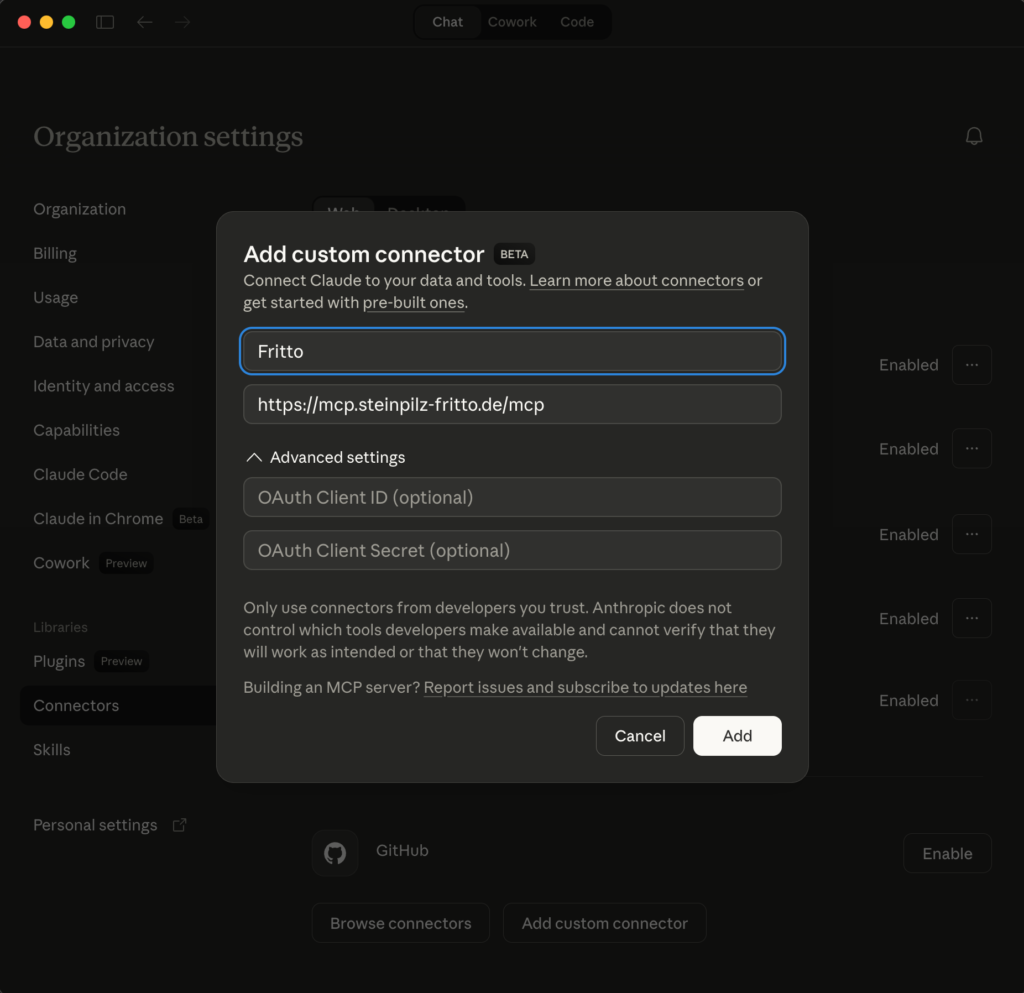
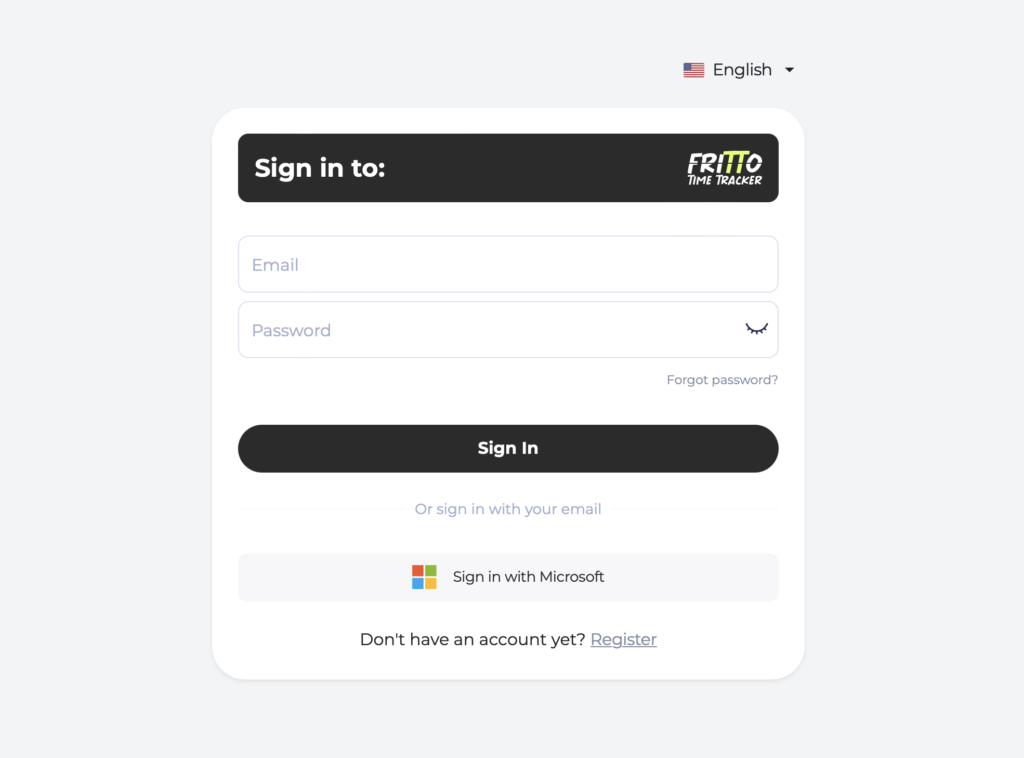
Step 2: Sign in with your FriTTo account
The client automatically opens the FriTTo login page. Sign in with your FriTTo credentials.
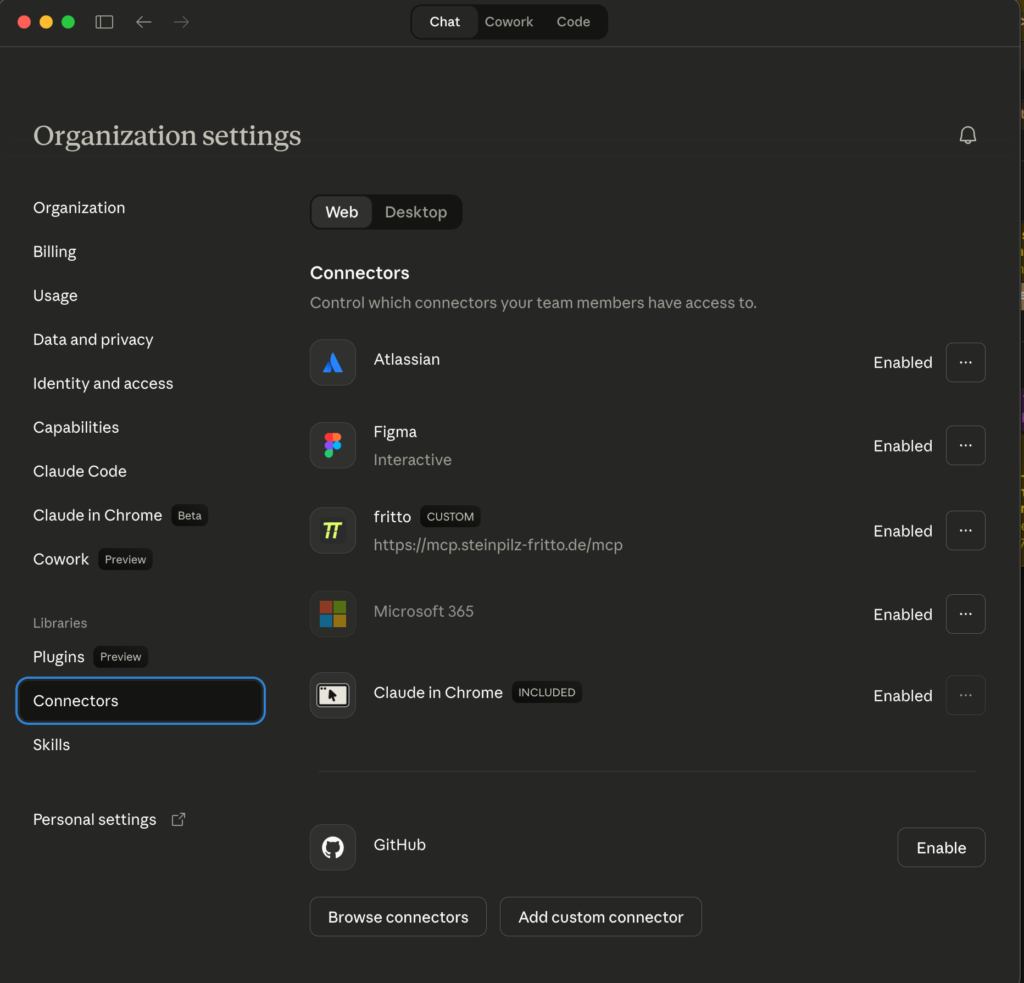
Step 3: Connection active
After signing in, the connection is authorized via OAuth and immediately ready to use. The AI agent now has access to your FriTTo data and can work with it autonomously.
For clients that do not support OAuth, a PAT (Personal Access Token) connection is available as an alternative. You can create a token in FriTTo via the profile menu under “Personal API Tokens”.
Use Case: Back-filling Minijob Hours for Two Months
The MCP integration is especially valuable where accuracy and compliance matter – for example, with minijob employees in Germany. German minijob regulations impose strict limits on monthly working hours. Anyone working fixed weekdays still needs to manually check which dates fall on public holidays and skip them accordingly.
With FriTTo and an AI agent, this takes just a few messages:
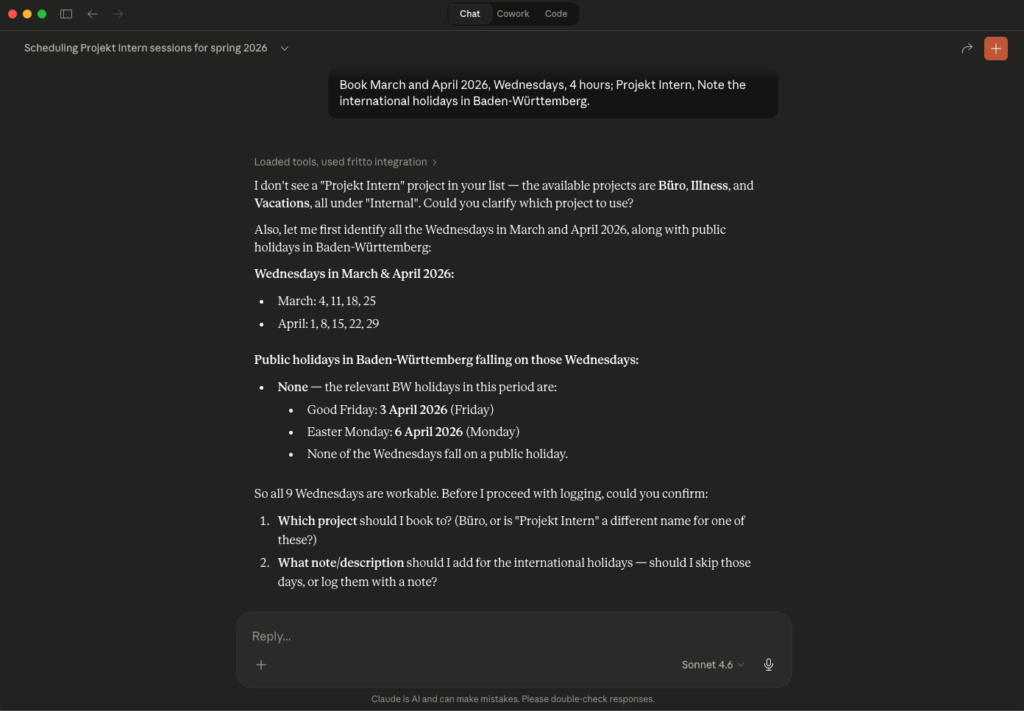
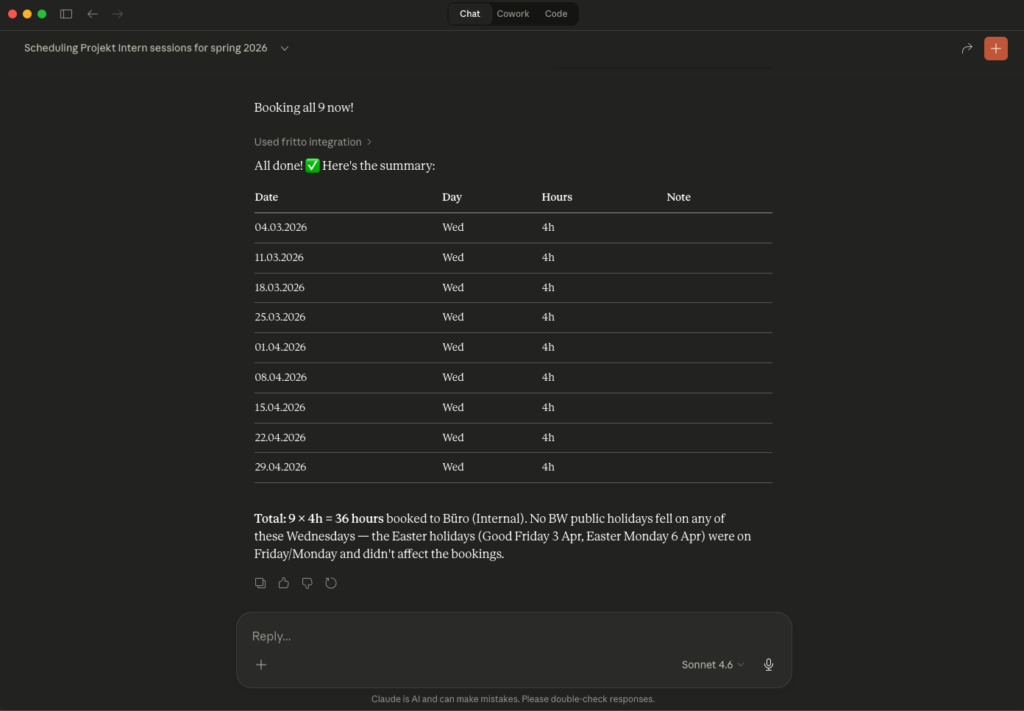
What feels like a simple conversation translates to eight individual API calls in the background, with automatic holiday checking – work that would otherwise mean several minutes of manual data entry.
What the Agent Can Do
Once connected, the AI agent has access to the following actions:
For All Users
- Log time – including description and task link (e.g. a Jira ticket)
- Retrieve and review personal time entries
- View personal reports – filtered by project, period, or status
- Submit time for approval
- List assigned projects
- Check whether a day is still editable
- Query total time logged for a specific task link
- Update or delete time entries
For Managers & Admins
- Retrieve and export team-wide reports – JSON, CSV, or Excel
- Search and filter pending approval requests
- Approve or decline time entries
- Manage employee groups
- Create, edit, activate, or deactivate users
- Manage cost rates for users
More Than a Convenience Feature
MCP integration isn’t just about booking time more comfortably. It opens FriTTo up to entirely new workflows: a developer agent can automatically log time against a Jira ticket the moment it’s closed. A project management agent can review all entries at month end, summarize them, and submit them for approval. The AI becomes an active part of your time tracking process – not just a chat companion.
Conclusion
Connecting AI agents to time tracking via MCP is one of the first genuinely practical everyday benefits that the Model Context Protocol delivers. FriTTo is ready – the MCP server is live, and setup takes under five minutes.