
Your time
tracking system:
from schedule
to reports.
Speed up your work in Excel or replace it with one solution. Your choice.
2-minute setup
Free for one
Teams: €3 per user/month
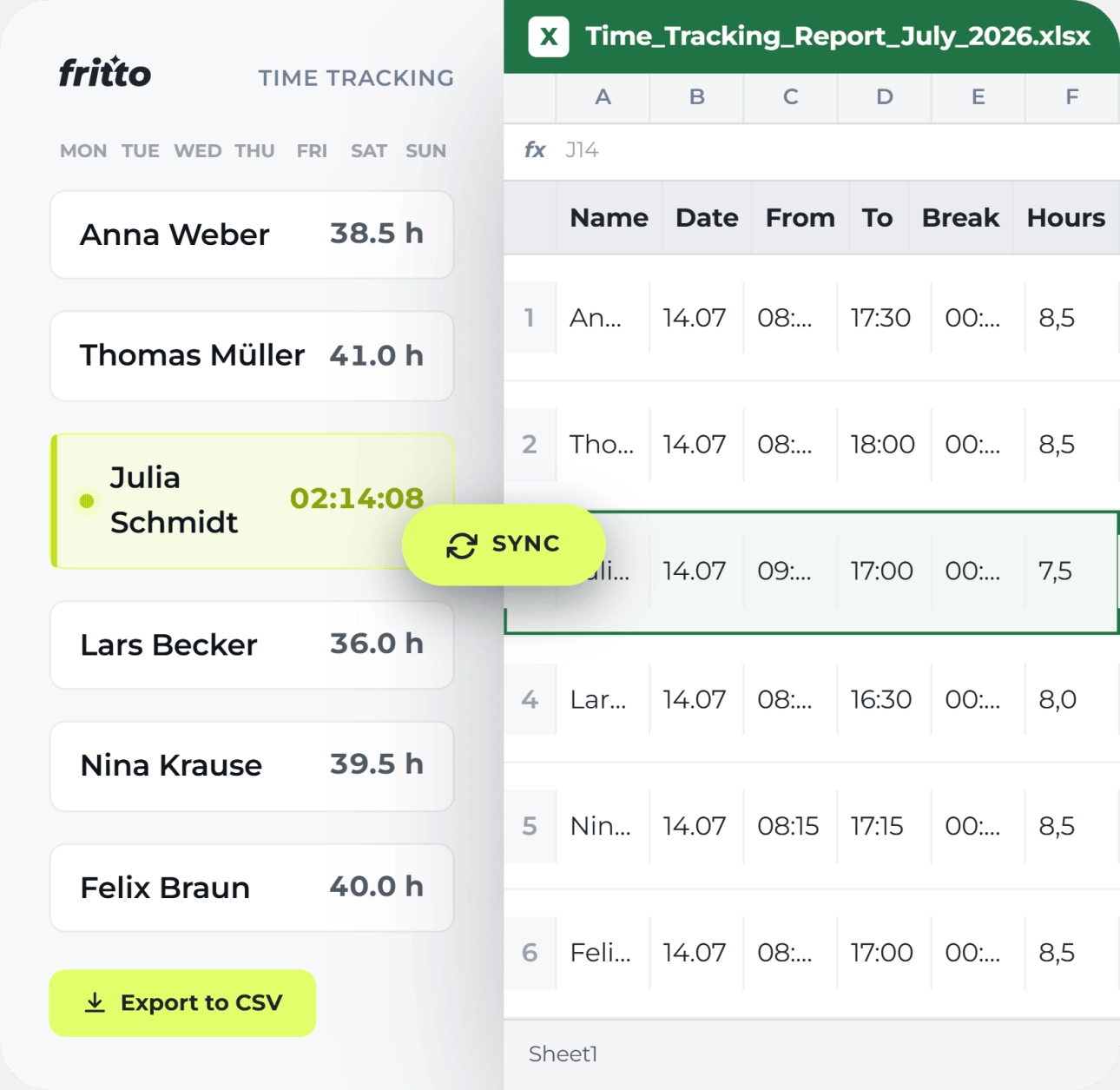
Three steps — then time
tracking runs on its own.
No six-month rollout. No external consultant. You install Fritto before lunch and have your first report ready in the afternoon.
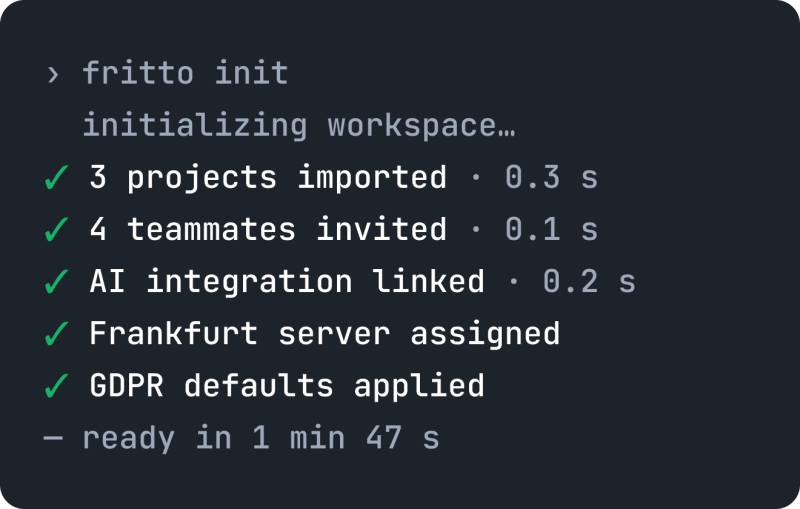
Set up your workspace in 2 minutes
Email, workspace name, done. Import your team from Excel — or invite them manually in seconds. Free for one — no credit card needed.
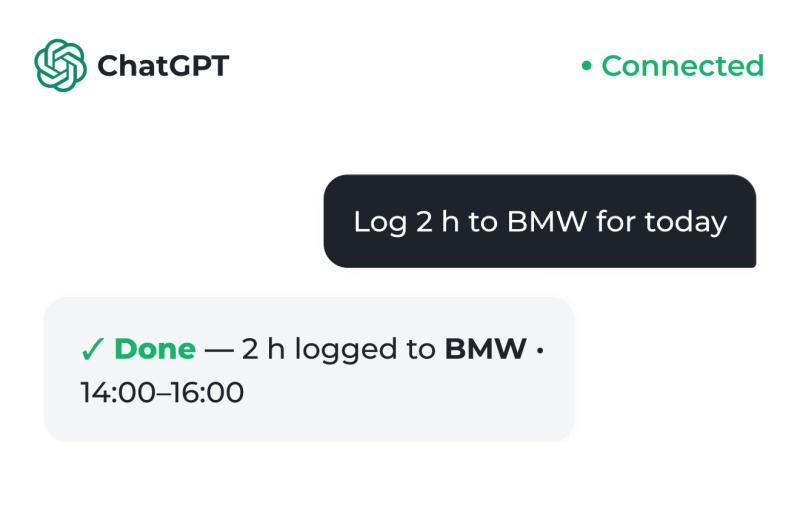
Your team tracks the way that fits
In the browser, straight from a Jira ticket, or just by chatting with your AI assistant. Claude, Cursor, and ChatGPT write entries directly into Fritto — no screenshots, no surveillance.
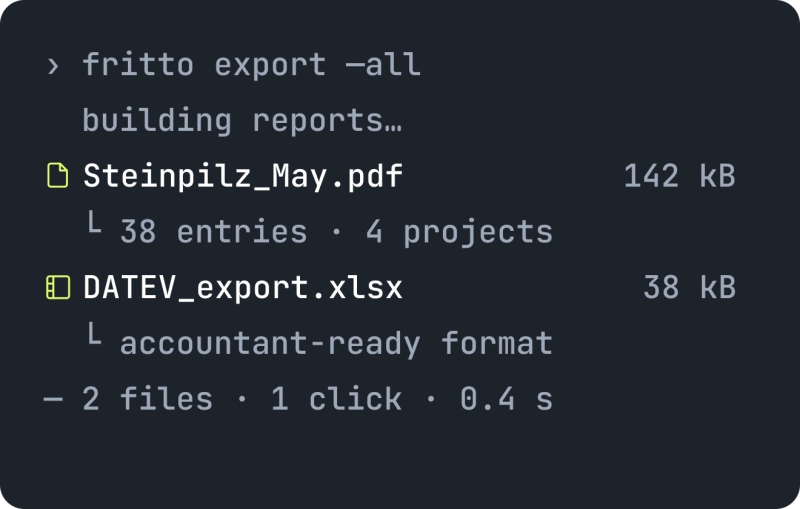
One click for any report, any format
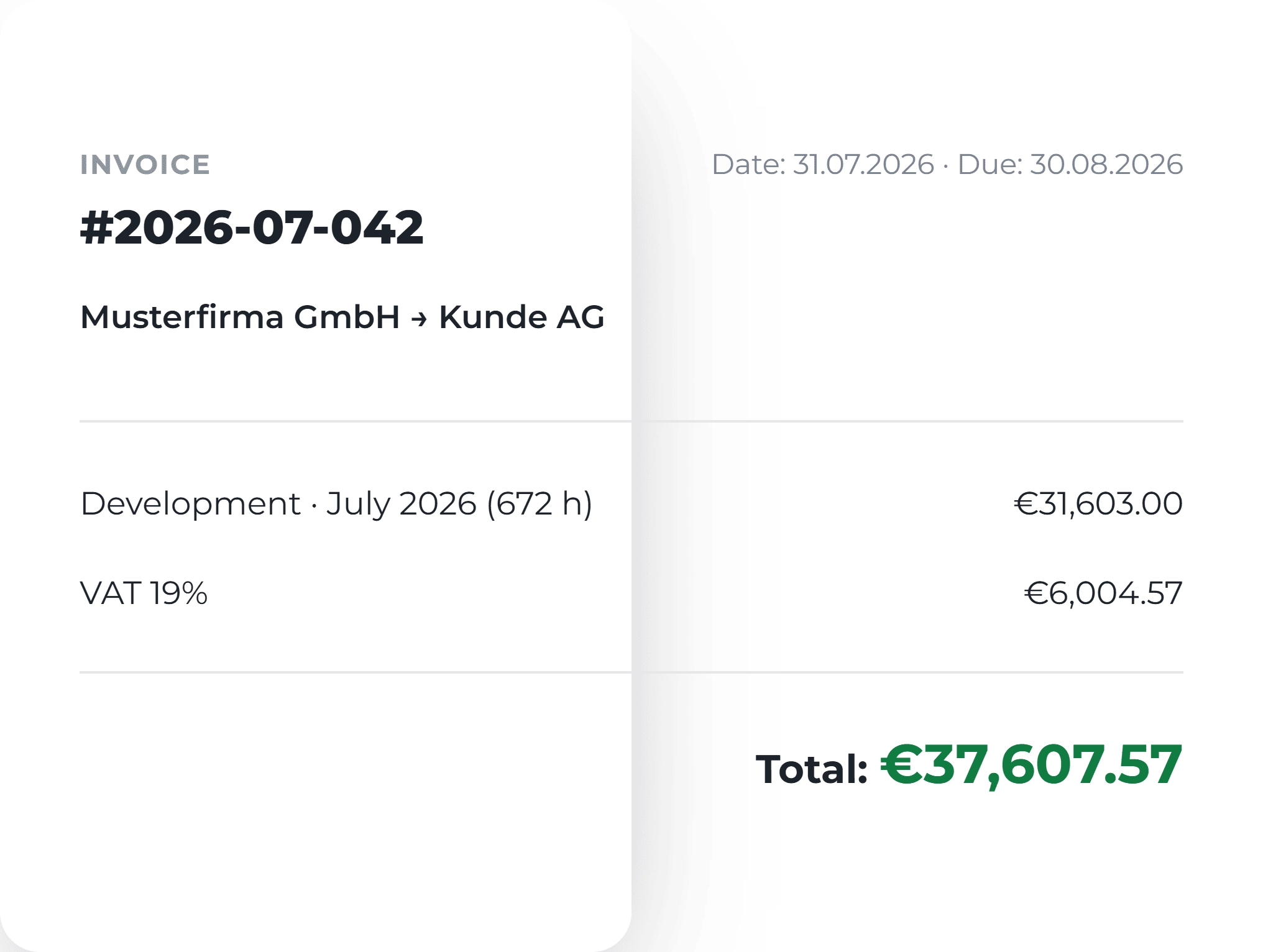
Excel export for accounting. Audit trail for compliance. Hours overview for the team meeting. Every report is legally aligned with the German BAG ruling.
Excel out? Or Excel faster?
Two paths. Same time tracker. Your call.
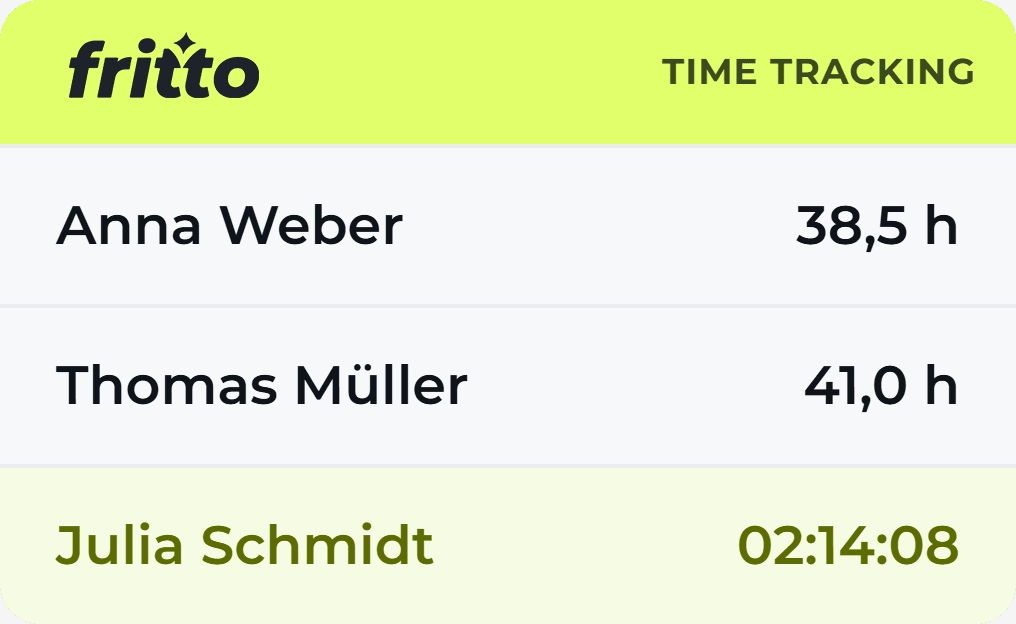 Track in Fritto
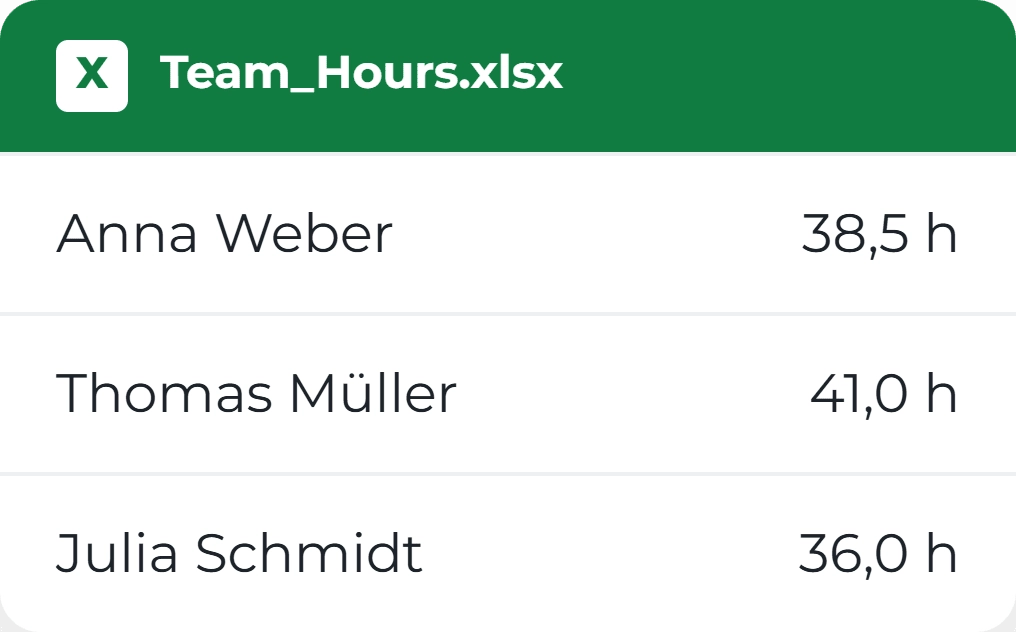 Or track in Excel
Keep Excel
Fritto tracks time automatically. One click to export a clean sheet for accounting, DATEV, or your own template.
For teams who don’t want to change their process.
Replace Excel
Everything in one place: schedule, tracking, reports, invoicing. Excel stays closed.
For teams who want to leave the paperwork behind.
Also connects to:


Native MCP server for AI agents. Plug in what your team already uses.
Compliance —
without surveillance.
Fritto tracks time. Nothing else. No screenshots, no keystroke logging, no idle-time tracking — and a full audit trail when you need it.
GDPR & BAG-compliant
Meets § 17 ArbZG after the BAG ruling of 13 Sep 2022. Full audit trail by default.
Hosted in Frankfurt
ISO 27001-certified data centre. Order processing agreement under Art. 28 GDPR.
No surveillance
No screenshots, no keystroke monitoring, no idle-time tracking. Trust-based hours stay possible.
All exports included
Excel and CSV/JSON, audit trail — every plan, no paid add-on. Your data stays your data.

We built Fritto because we needed it ourselves. We needed time tracking that fits into how we actually work: pull reports by person, by task, by week, in seconds. The native AI integration means I don’t even open the app most days — I just ask Claude. Now we share it with companies that have the same need.
This week’s report: 31h 08m logged across 4 projects. Top: Auth refactor (12h 40m). Want me to export it as Excel?
First user free.
Team from €3 per person.
No tier tricks. No “Enterprise on request”. No credit card to start. When you grow your team, you pay €3 per active user — and nothing is held back.
Solo
For freelancers and anyone who wants to test before rolling out to a team.
1 user · unlimited
- Full time tracking — no feature limits
- Native AI integration — Claude, Cursor, ChatGPT
- Jira plugin & Excel export
- Servers in Frankfurt · GDPR-compliant
Team
For Mittelstand and agencies. As many users as you need — you pay only for those who actively log time.
From 2 users · cancel monthly
- Everything in Solo, for every user
- Multi-project management & hourly rates
- Approval workflow for time entries
- SSO (Microsoft, Google)
No credit card required. Cancel anytime, monthly.
Calculate what your team would pay.
Side by side, no names called.
Compared to the average international time-tracking tool. Same Mittelstand needs, very different price tag.
Made for billable work —
not busywork.
Agencies, in-house teams, studios & offices — if your hours turn into invoices or audits, Fritto keeps the record clean.
Agencies
You bill clients by the hour — and every untracked minute is margin gone.
- Time grouped by client and project
- Clean exports straight into invoices
- No surveillance your creatives resent
In-house & IT teams
Internal projects still need accounting for — without turning into micromanagement.
- Reports by person, task and week
- Just ask Claude — no app to open
- Free for one · €3 per user for teams
Studios & offices
Work runs in project phases — and hours have to land on the right one.
- Hours tracked by project and phase
- § 17 ArbZG audit trail, automatic
- Excel and CSV export built in
Insights
that pay off.

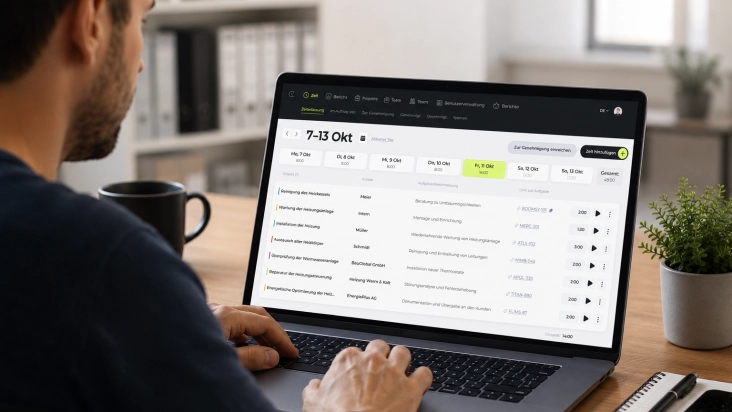
Three Clients, One Employee, One Month: Time Tracking for Staffing Agencies

Time Tracking Without the Surveillance Feel: Here's How

Adding New Employees and Assigning Groups — Here’s How It Works in Fritto

Request, approve, manage time off — here’s how it works with Fritto

Working Time Recording in Germany: What Businesses Need to Know Right Now

All in One Place: How to Record Absences Correctly with Fritto
Frequently asked questions
Click “Sign Up” on the homepage, enter your email address, create a password, and verify your email. Once confirmed, you can log in and start tracking right away. You can also sign in with your Google or Microsoft account for faster access.
Yes — Fritto is fully synchronized across all your devices. Desktop, laptop, tablet, or smartphone: your data updates in real time. Log in anywhere and all your time entries and reports are immediately available.
Click “Add time” on the homepage. Enter your hours worked, assign them to a project or category, add tags, and include notes if needed for a clear structure.
No limits. The free plan covers one user with unlimited projects, tasks, and time entries — and full access to all features: time tracking, reporting, project assignment, and more. Upgrade to a team plan whenever you’re ready.
Track time for activities and projects, log time on behalf of other users, submit entries for approval, and review approved entries. You can also lock time periods to prevent retroactive changes — full control over your team’s time records.
The Reports section includes individual reports (“My Time Report”) and consolidated reports for all employees or projects (“All Time Report”). Group data by project, client, employee, or time period — and customize the displayed columns to get exactly the information you need.
The Projects section centralizes everything. Create and organize projects, assign them to clients, add team members, and track progress by time spent — budget transparency and resource allocation visibility in one place.
Yes. Use Employee Groups (in the Company section) to create groups like Managers, Developers, or Finance. Then configure detailed access rights via User Management → Roles, and assign roles to users.
Yes. Fritto has an API that powers the application and is available for technical integrations. You can read and write time entries, projects, and records programmatically. Full documentation with request examples is available in the Swagger UI.
Yes. Starting Fritto is free — no credit card required, all features included. When your team grows, the Team plan is €3 per active user per month.
Write to us at app-fritto-kontakt@stein-pilz.com — we respond quickly.