



In our last post, we explained why it makes sense to manage time tracking and absence management in one system. Today we go one step further — and show you exactly what that looks like in Fritto.
What matters is not how good something sounds, but how reliably it works in everyday working life. That’s why we don’t just want to tell you what Fritto can do — but also why we built it the way we did. Because behind every booking type, there’s a real problem we’ve seen in practice.
The most important booking types — and why they matter
Time tracking sounds simple at first: whoever works logs their hours. But as soon as a team grows, it quickly becomes clear that “worked” is just one of many states. And it’s precisely these differences — between vacation and sick leave, between breaks and special leave — that make all the difference when it comes to payroll.
Vacation
Everyone knows this one: the request comes in by email, lands in the wrong inbox, gets approved but never recorded — and by the end of the month nobody knows how many days are left. In Fritto, employees submit vacation requests directly in the system. Managers approve with a single click. Remaining vacation is calculated automatically. No back and forth, no forgotten requests.
Sick leave with doctor’s note
Something many companies underestimate: sick days with a medical certificate don’t just need to be recorded — they need to be documented and retained for legal reasons. Anyone who doesn’t separate these cleanly from other absences will find out at the next payroll audit at the latest.
Sick leave without doctor’s note
Short illnesses without a GP visit happen and should still be recorded in the system — not for monitoring purposes, but because they’re relevant for payroll and help identify potential patterns early. Handling this fairly starts with transparency.
Breaks
Breaks are required by law — and yet they’re one of the most frequently overlooked points in time tracking. Forgotten or manually added after the fact, they lead to incorrect working hours in payroll and, in some cases, legal issues. In Fritto, breaks can be recorded as their own booking type so that net working time is always reported correctly.
Four-day week and part-time
Flexible working models are today’s reality — but many systems still don’t reflect them properly. Someone who doesn’t work on Fridays hasn’t taken vacation. If that’s not recorded in the system, people plan with capacity that simply isn’t there. In Fritto, this can be stored as a working model — visible to everyone who needs to plan.
Special leave
Marriage, moving house, bereavement — rare situations that still need to be recorded correctly. Without a dedicated type, these days often get accidentally deducted from the regular vacation balance. That’s frustrating for employees — and easily avoided with the right system.
Why this matters so much for payroll
Each of these booking types has a direct impact at the end of the month — on payroll, on legal documentation requirements, and on project planning. If sick leave is booked as vacation, the vacation balance is wrong. If breaks are missing, working hours are wrong. If special leave isn’t recorded, the documentation is missing.
At first glance this may seem like bureaucracy — but at its core it’s simply fairness: towards employees who want their entitlements correctly credited, and towards the company that needs to be legally compliant.
How to set up Fritto — step by step
Fritto is ready to go in just a few minutes. No technical knowledge required — the system is built so that anyone can get started right away.
Step 1: Create a free account
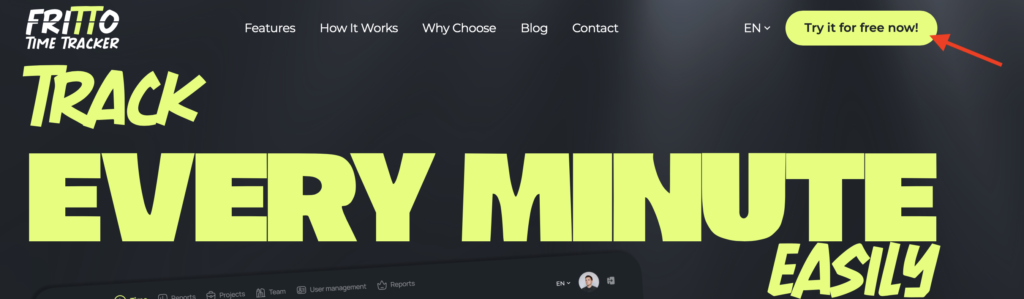
Visit steinpilz-fritto.de and click “Try it for free now”. No credit card, no subscription commitment — simply register and get started.
Step 2: Enter your details
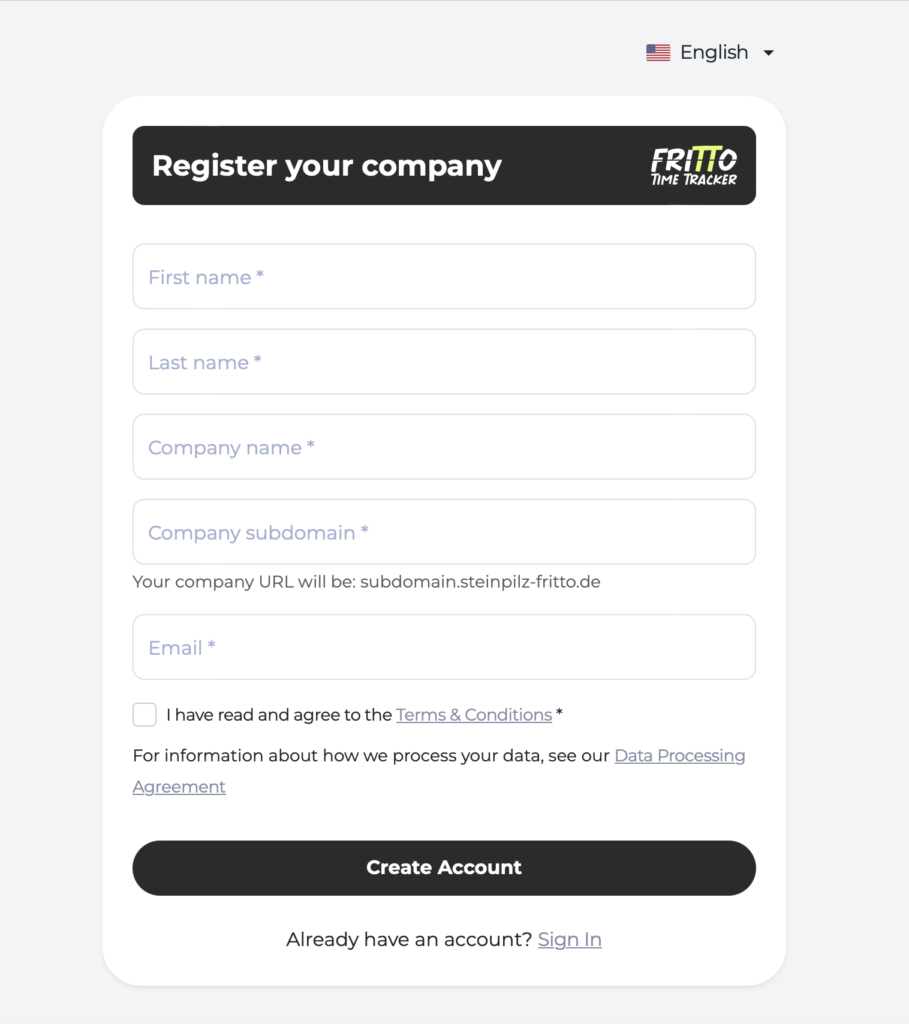
After clicking “Try it for free now”, enter your personal details and your company name. It takes less than five minutes.
Step 3: Set your password
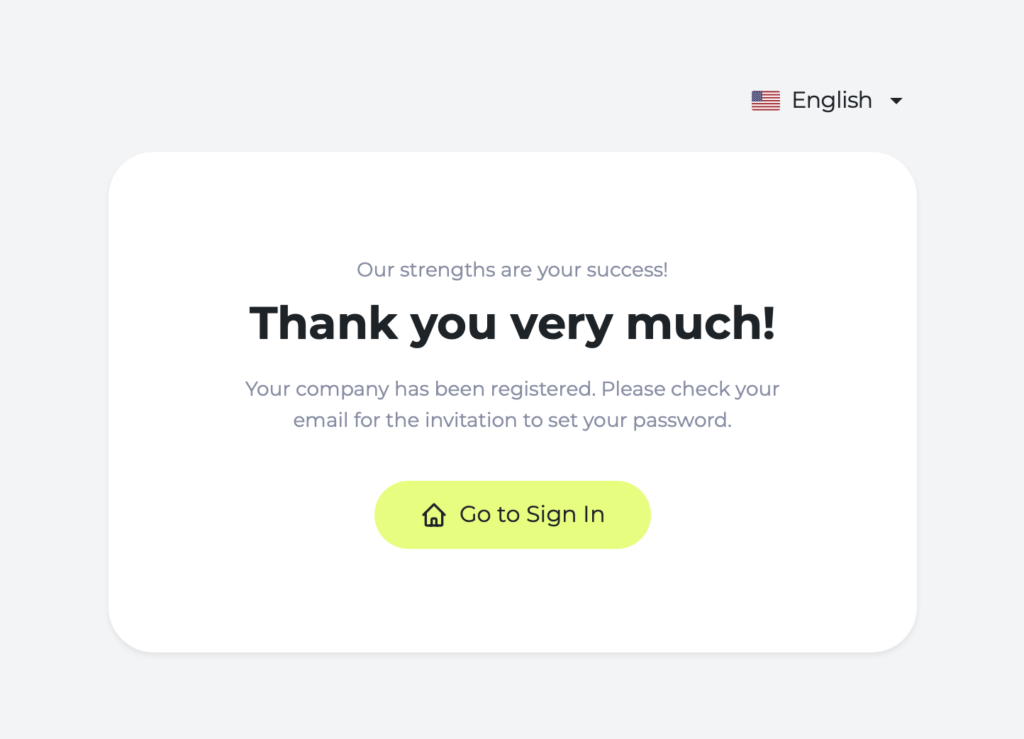
After registering, you’ll receive an email. Open your inbox and set your personal password for your Fritto account — and your account is ready to use.
Step 4: Configure absence types in projects
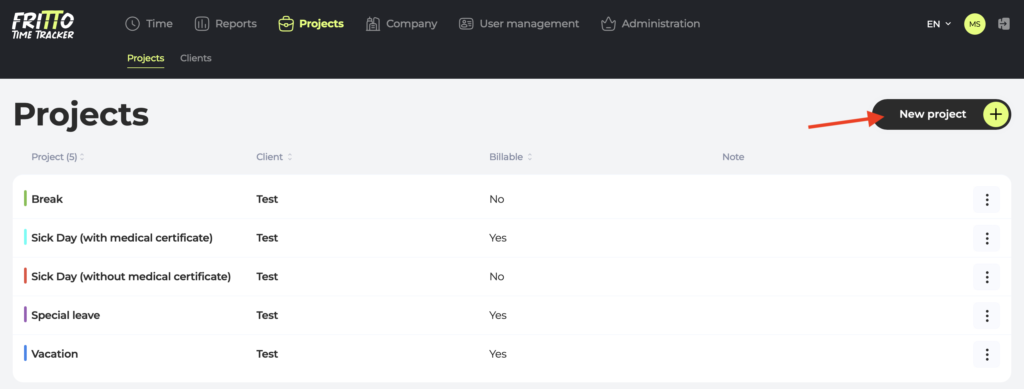
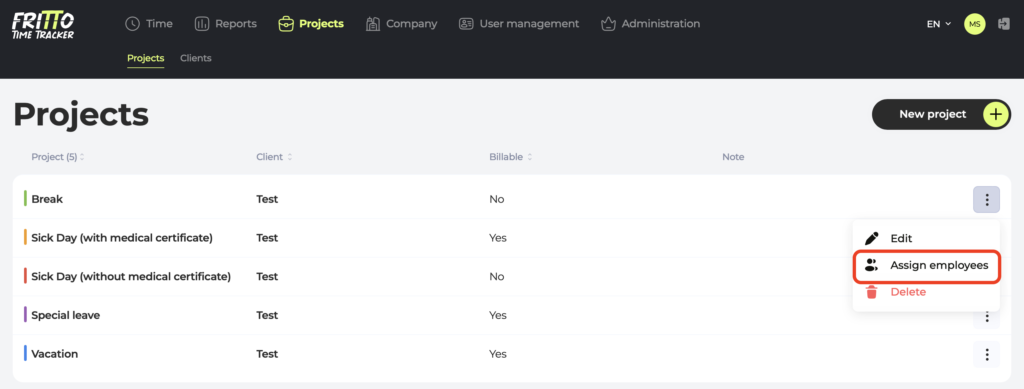
Now define which booking types your company needs — vacation, sick leave with and without a note, breaks, special leave, and more. Everything can be flexibly adjusted, directly within the project settings.
Step 5: Assign employees to projects
Assign each team member the individually created projects they need. This ensures everyone has exactly the booking types available that are relevant to their role.
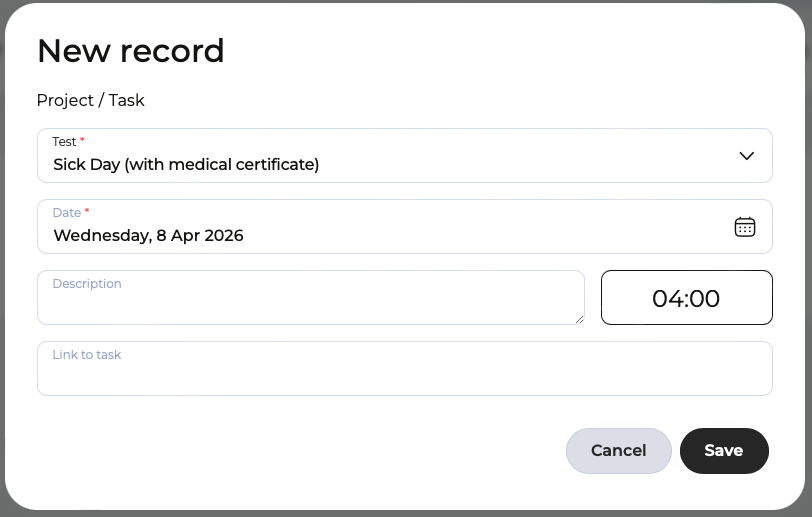
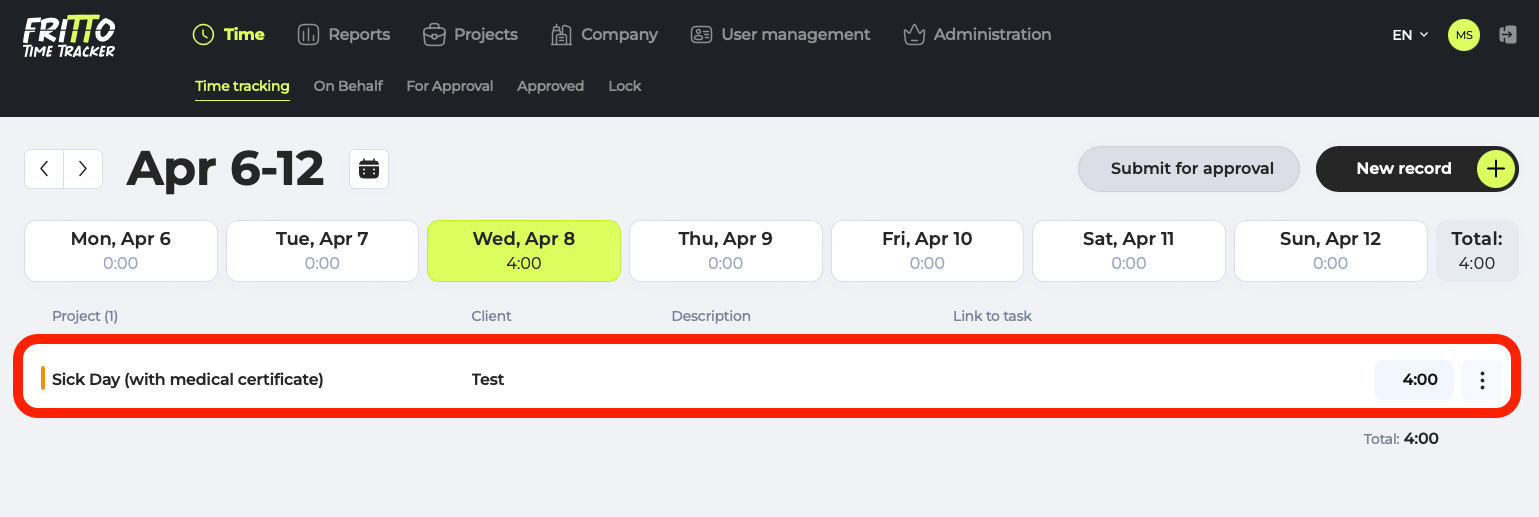
Step 6: Log the first absence
Once everything is set up, each person can log their absences directly — and managers approve with a single click.
Conclusion: more structure, less effort
A clear and structured approach to time tracking creates the foundation for reliable processes in everyday working life. Vacation is vacation, sick leave is sick leave, a break is a break — anyone who maps these differences correctly saves time in payroll, avoids mistakes, and creates transparency for the whole team.
Fritto supports you in doing exactly that: simply, without a complicated setup, and right where work is already being recorded.
Try Fritto free for 30 days — and see for yourself how quickly your time tracking gains structure.
If you’d like to read more about the fundamentals of absence management first, our previous article is a great starting point: Vacation, Sick Days, Remote Work: How to Manage Absences with Fritto