
The last article, Three Clients, One Employee, One Month: Time Tracking for Staffing Agencies covered why staffing agencies need a different approach to time tracking: one employee, three clients, one month — and still a clean, client-separated invoice. Today we’ll show you how to actually set that up in Fritto, step by step.
The basic idea stays simple: every client gets its own project, and every employee is assigned to the right projects. Everything else — time tracking, approval, billing — follows automatically from there.
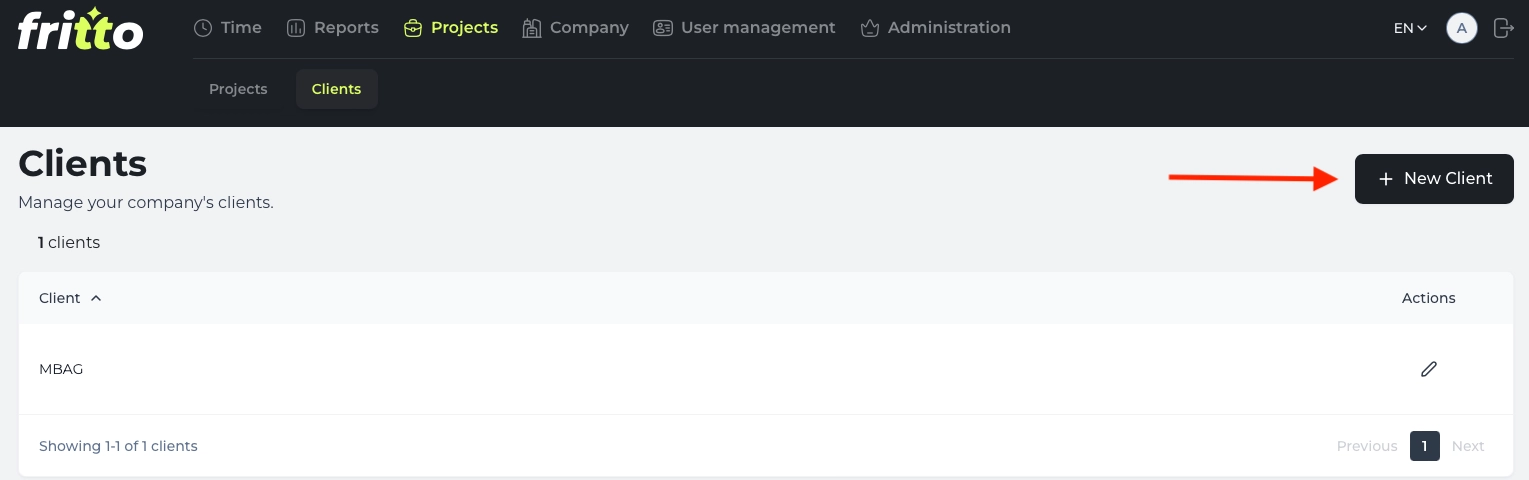
Step 1: Create the client
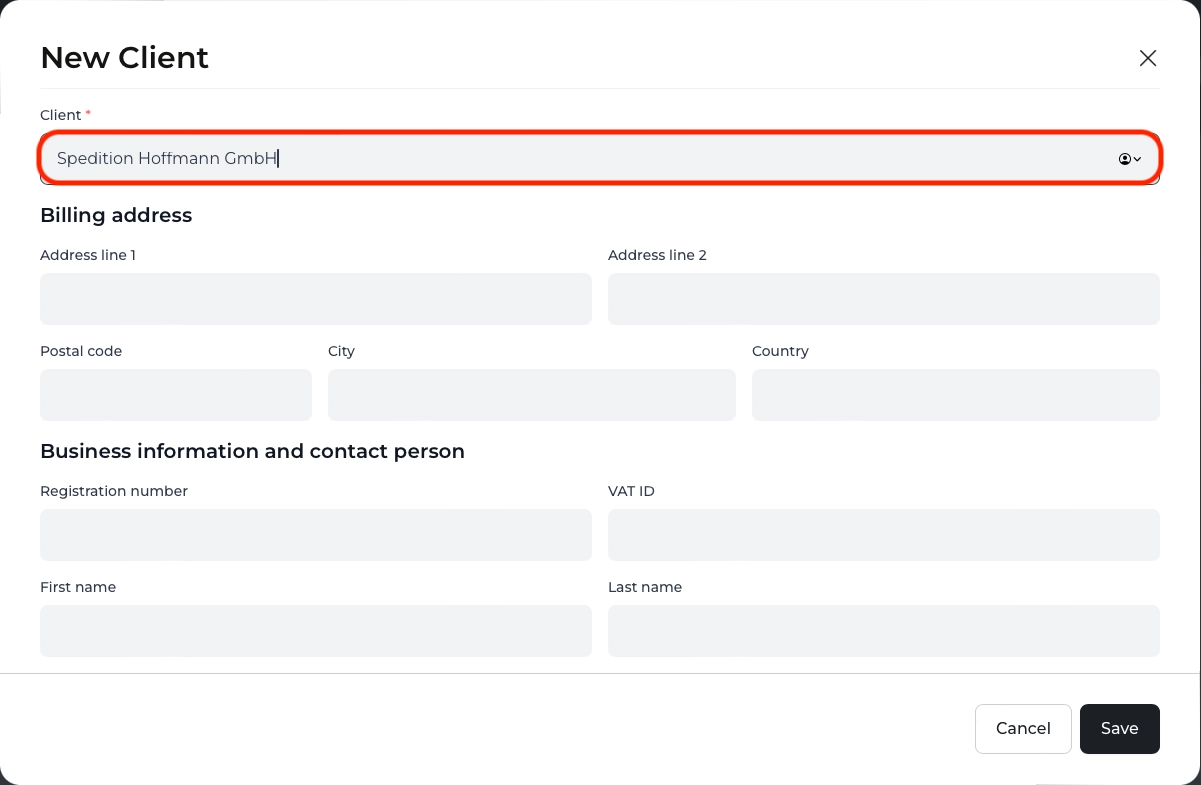
Start by creating the client in Fritto — for example, “Hoffmann Logistics GmbH.” This sets up the client company as its own record before you create the matching project.
Step 2: Create the project for that client
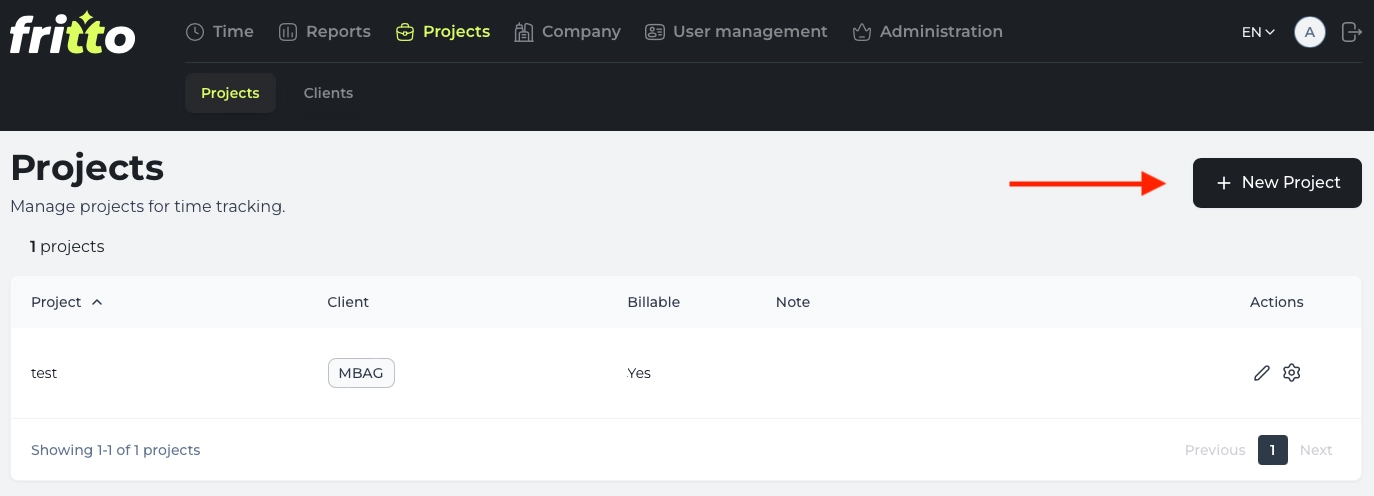
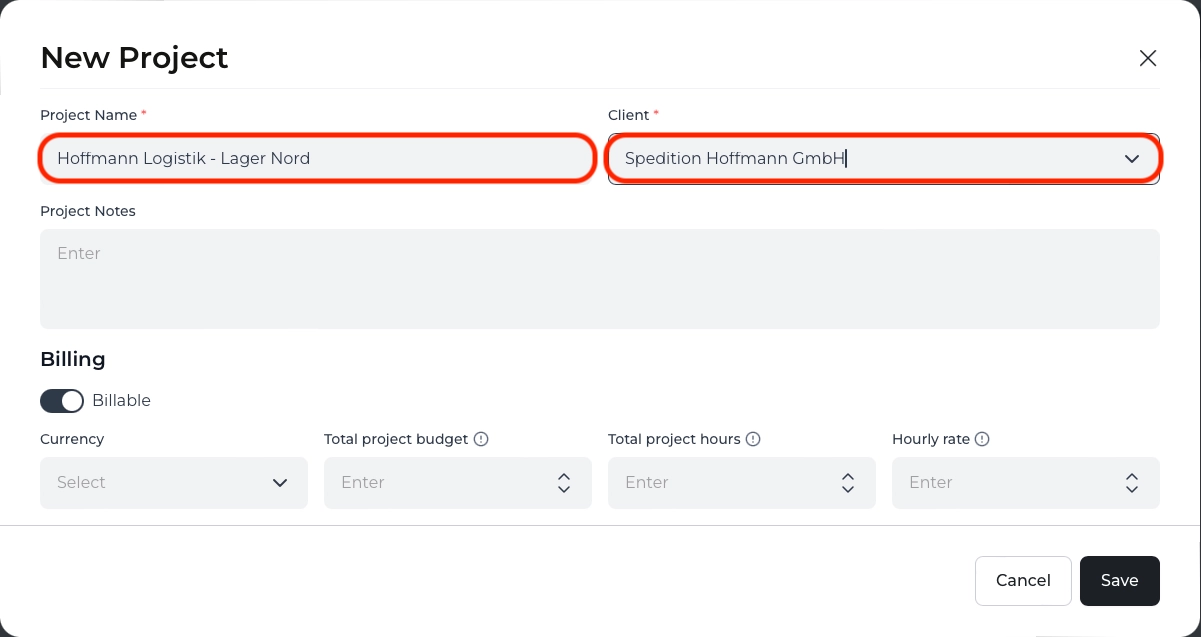
Open the Projects area, click New Project, and link it to the client you just created.
Choose a project name that makes the client and assignment location clear at a glance — for example, “Hoffmann Logistics — North Warehouse.”
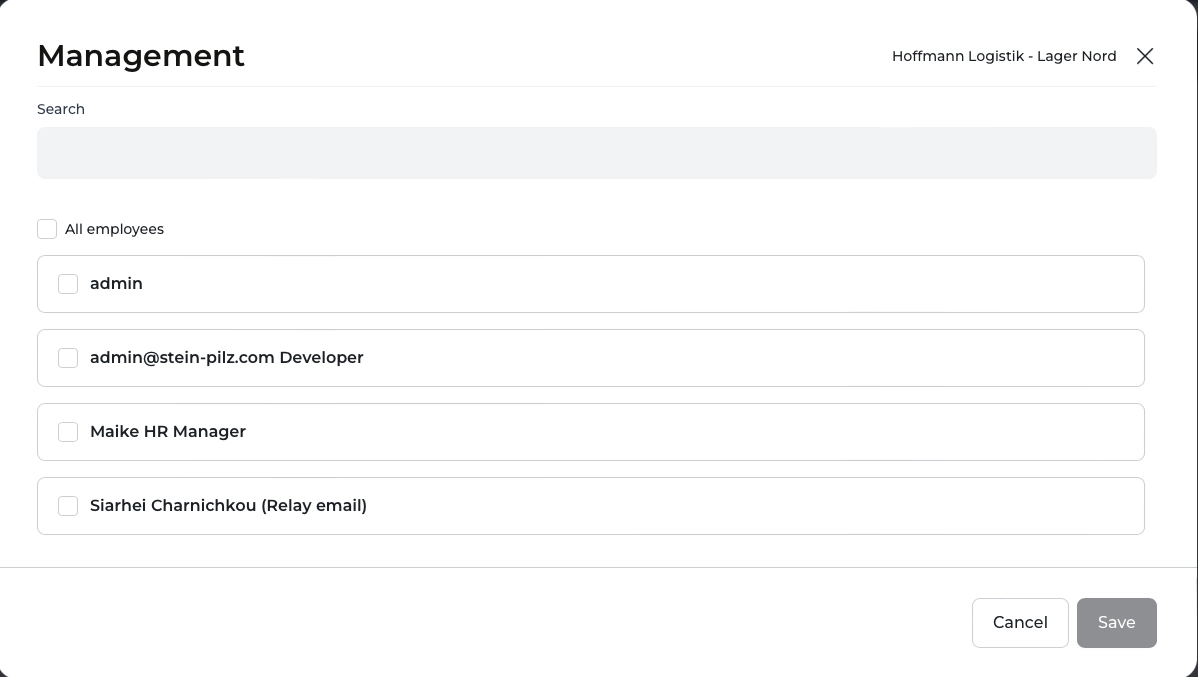
Step 3: Manage employees via the gear icon
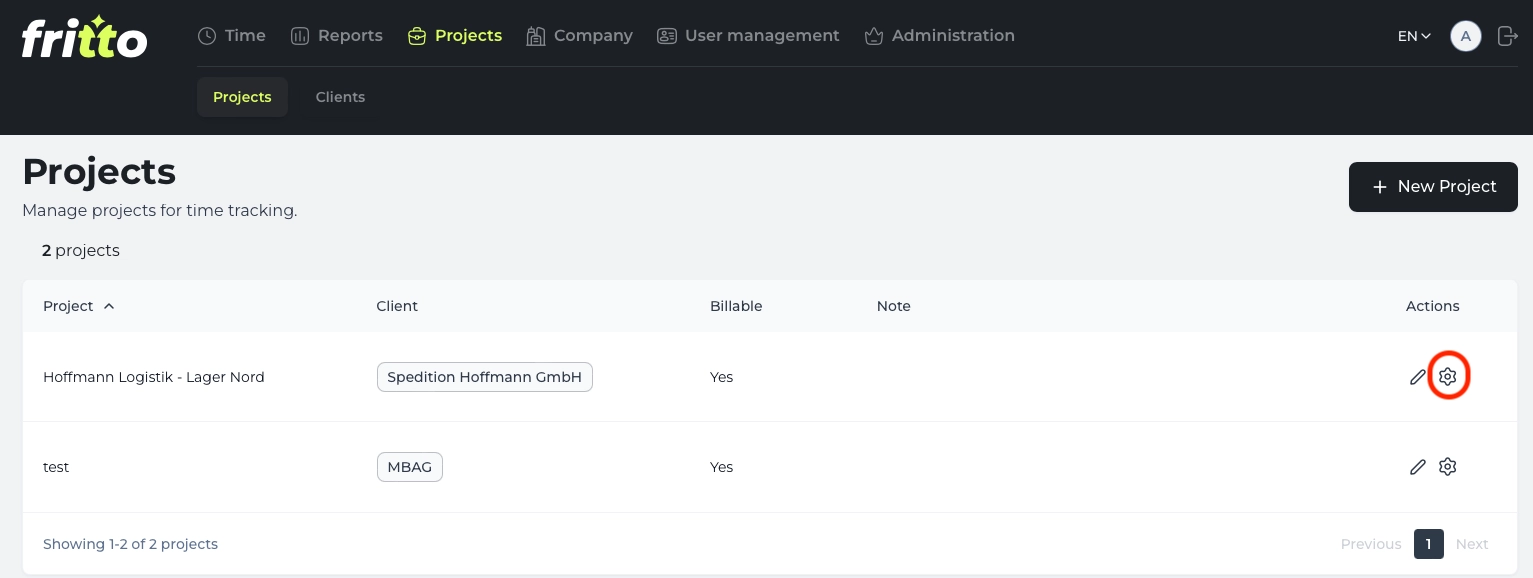
In the project list, click the gear icon next to the new project.
In the Management dialog, assign the employees currently working for that client. An employee can appear in several projects at once, exactly when they’re working for different clients in the same month.
Step 4: Employees log their hours
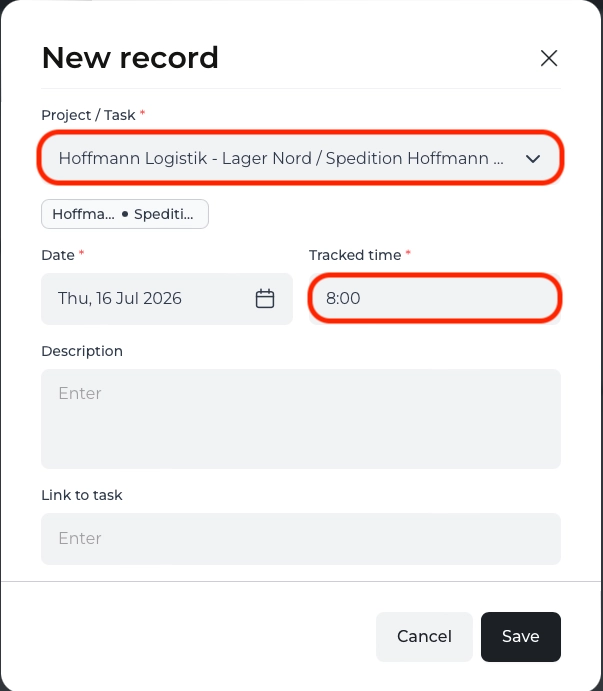
In the Time area, employees click New record.
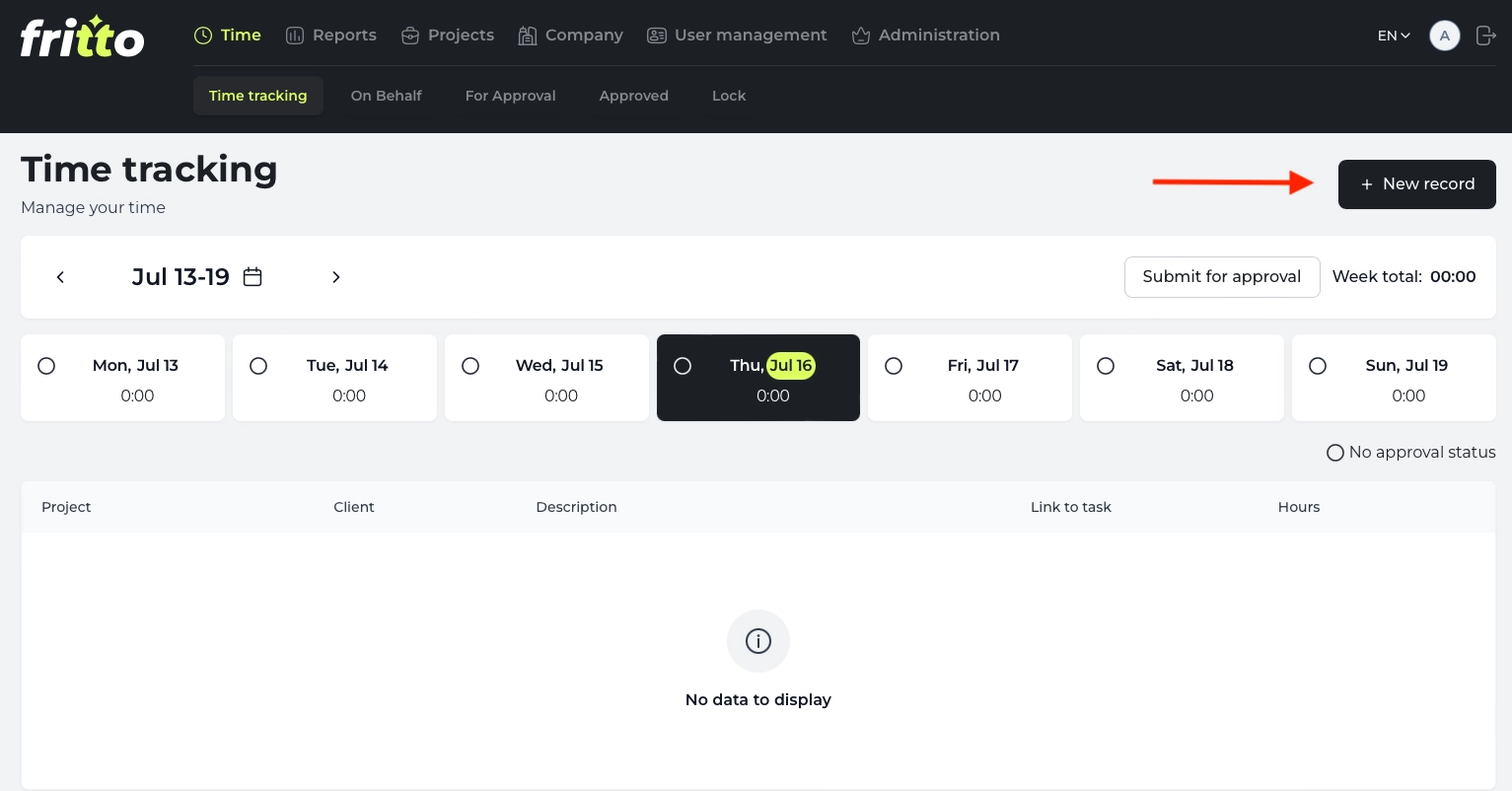
Select the matching client project under “Project / Task.” If someone works for two different clients on the same day, they simply log the hours twice — each assigned to the correct project.
Step 5: Approve the hours
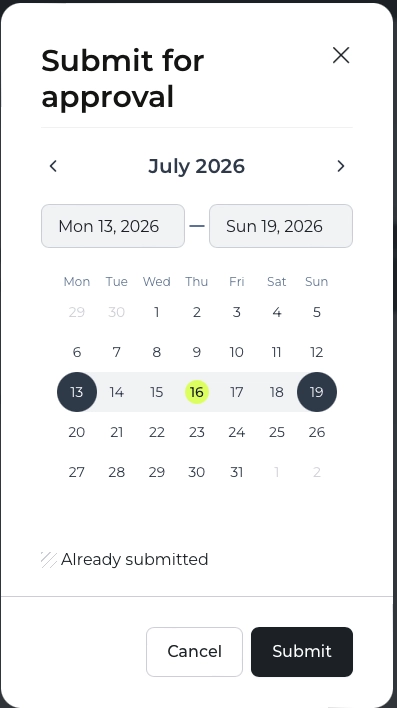
In the weekly overview, the employee submits the logged hours via the Submit for approval button.
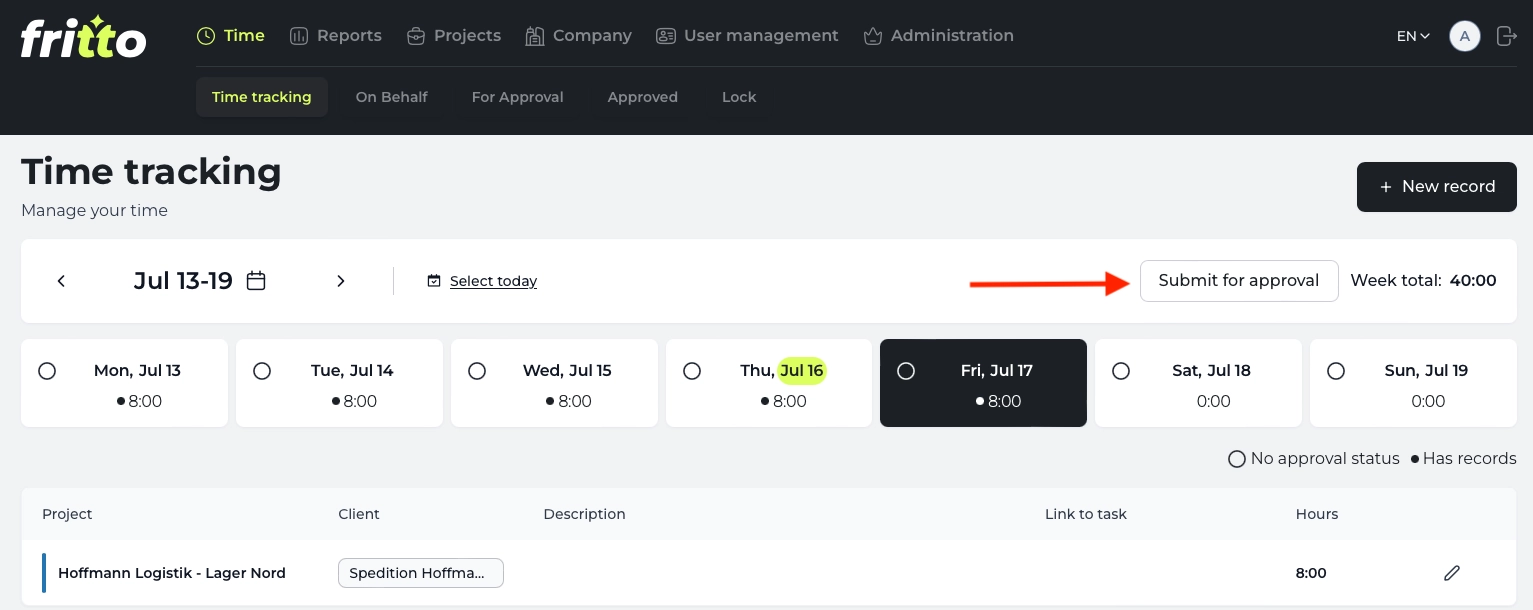
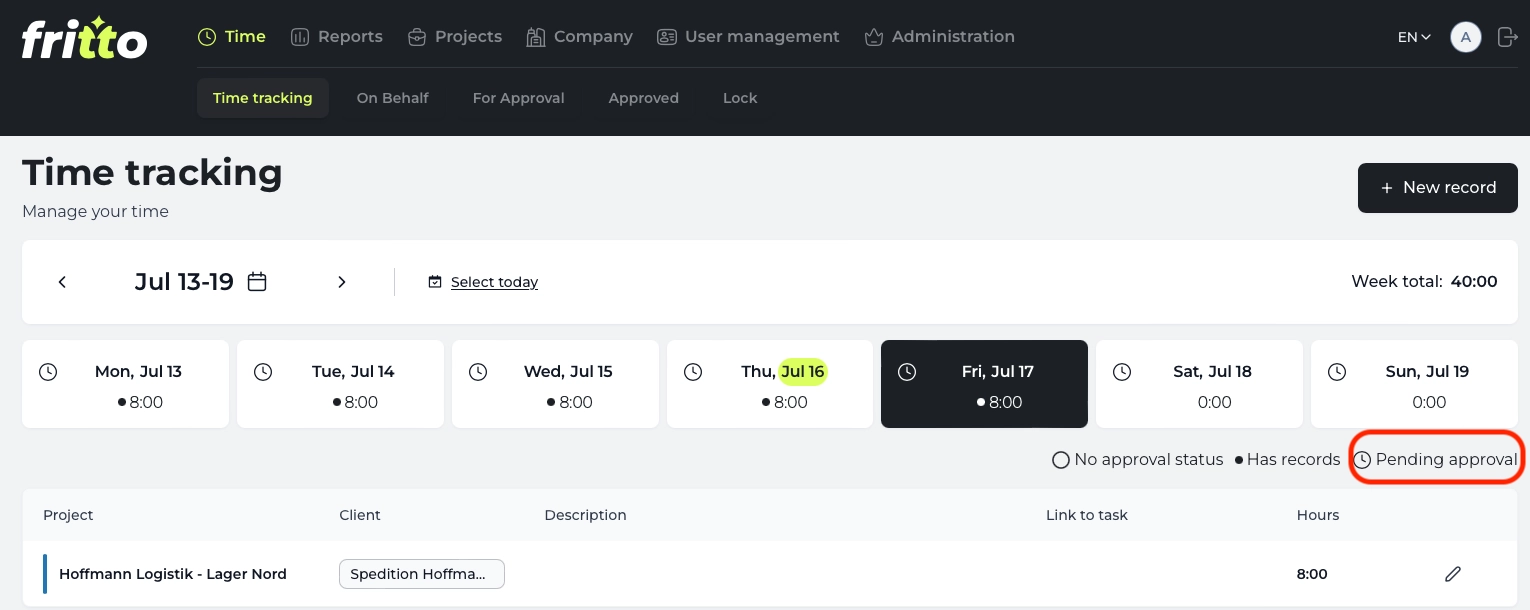
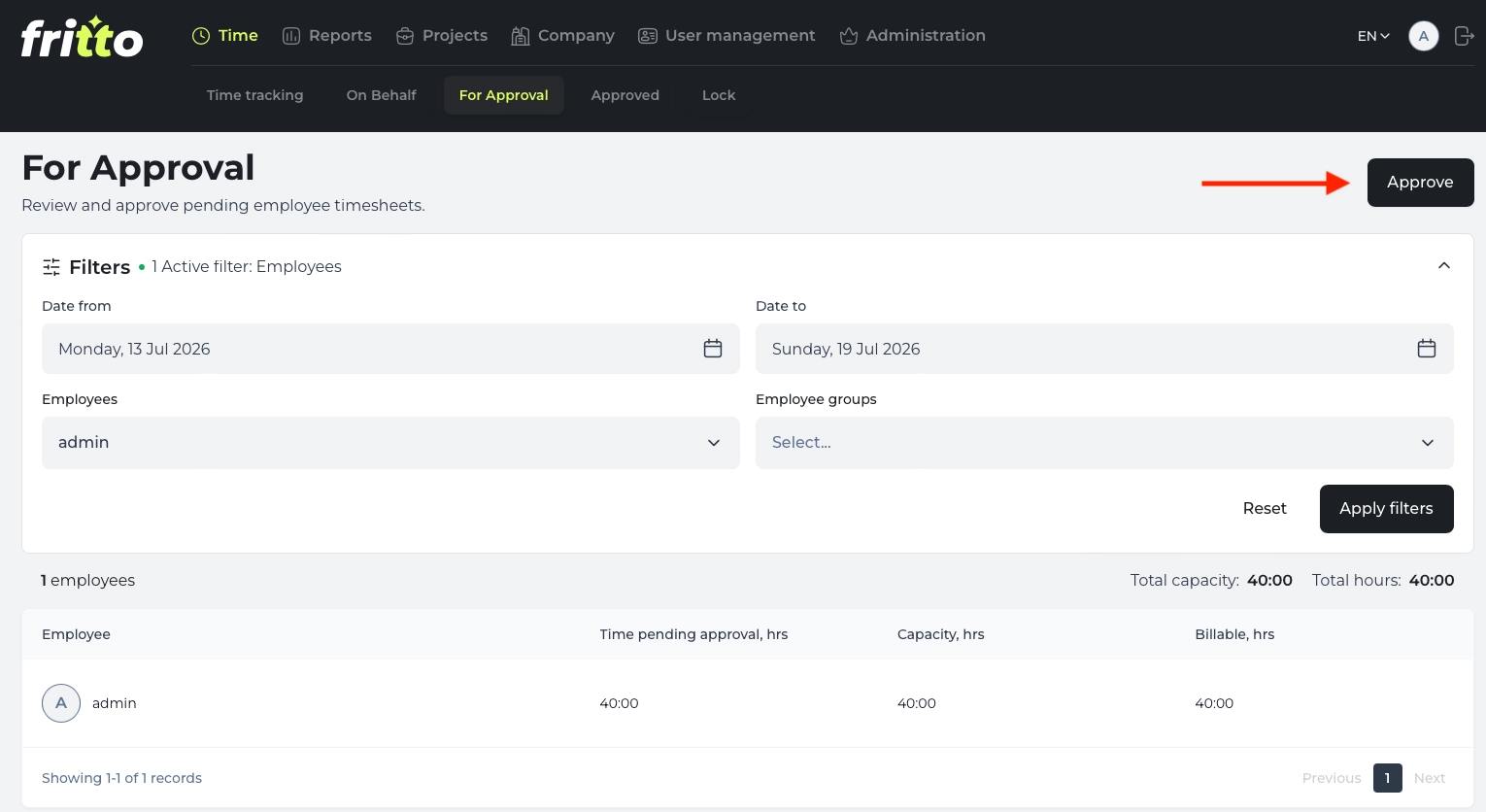
The relevant Reviewer or Manager then sees the entry in their own overview and can approve or reject it.
Step 6: Pull the time report for the project
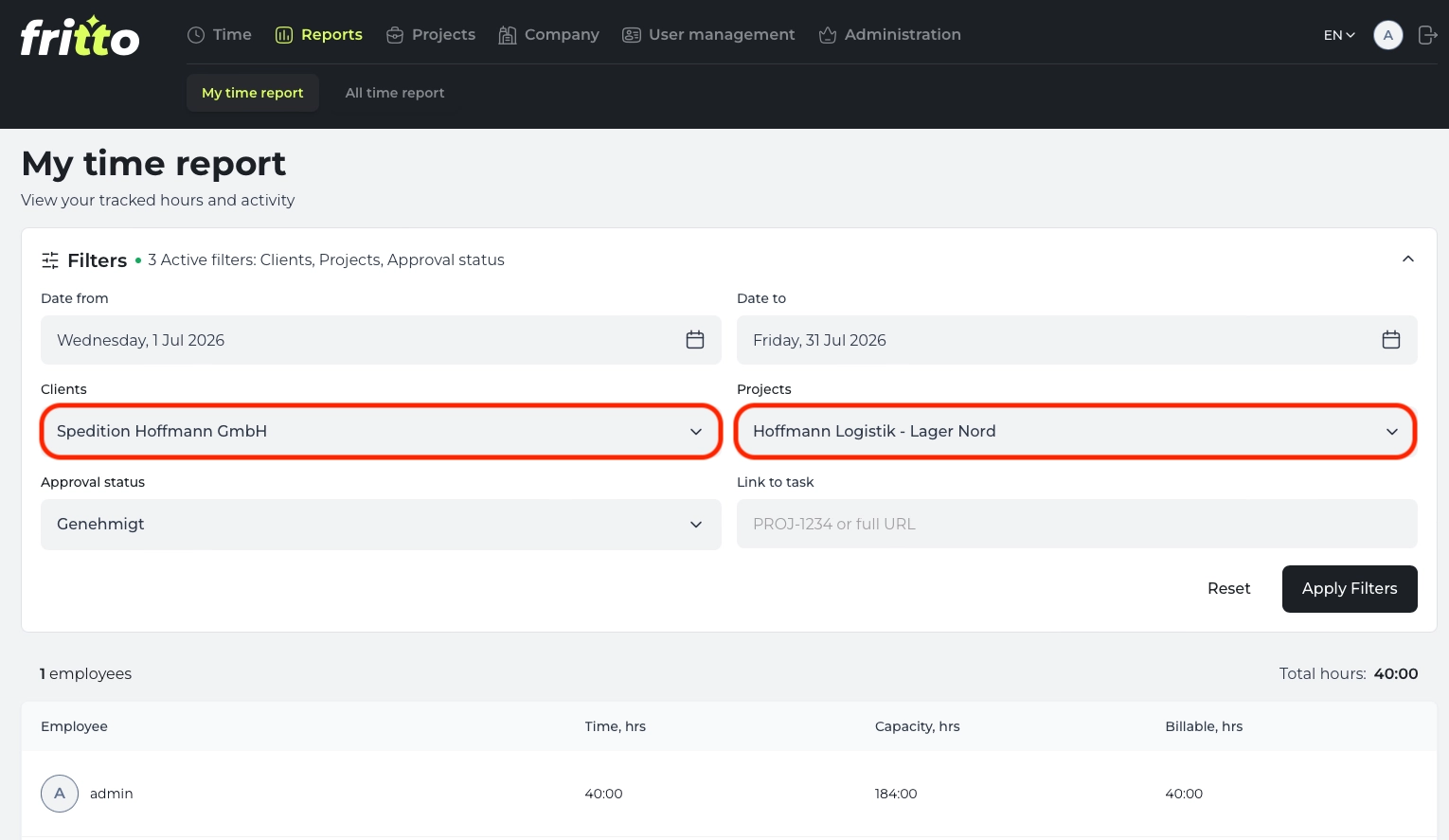
Once the hours are approved, open the Reports area and filter by the project you need. You get exactly the hours relevant for billing that one client — without having to dig them out of a larger spreadsheet.
Six steps, set up once per client — after that, the assignment runs on its own. No employee has to remember which project belongs to which client, and no time report has to be pulled together from one big spreadsheet at month‑end.